






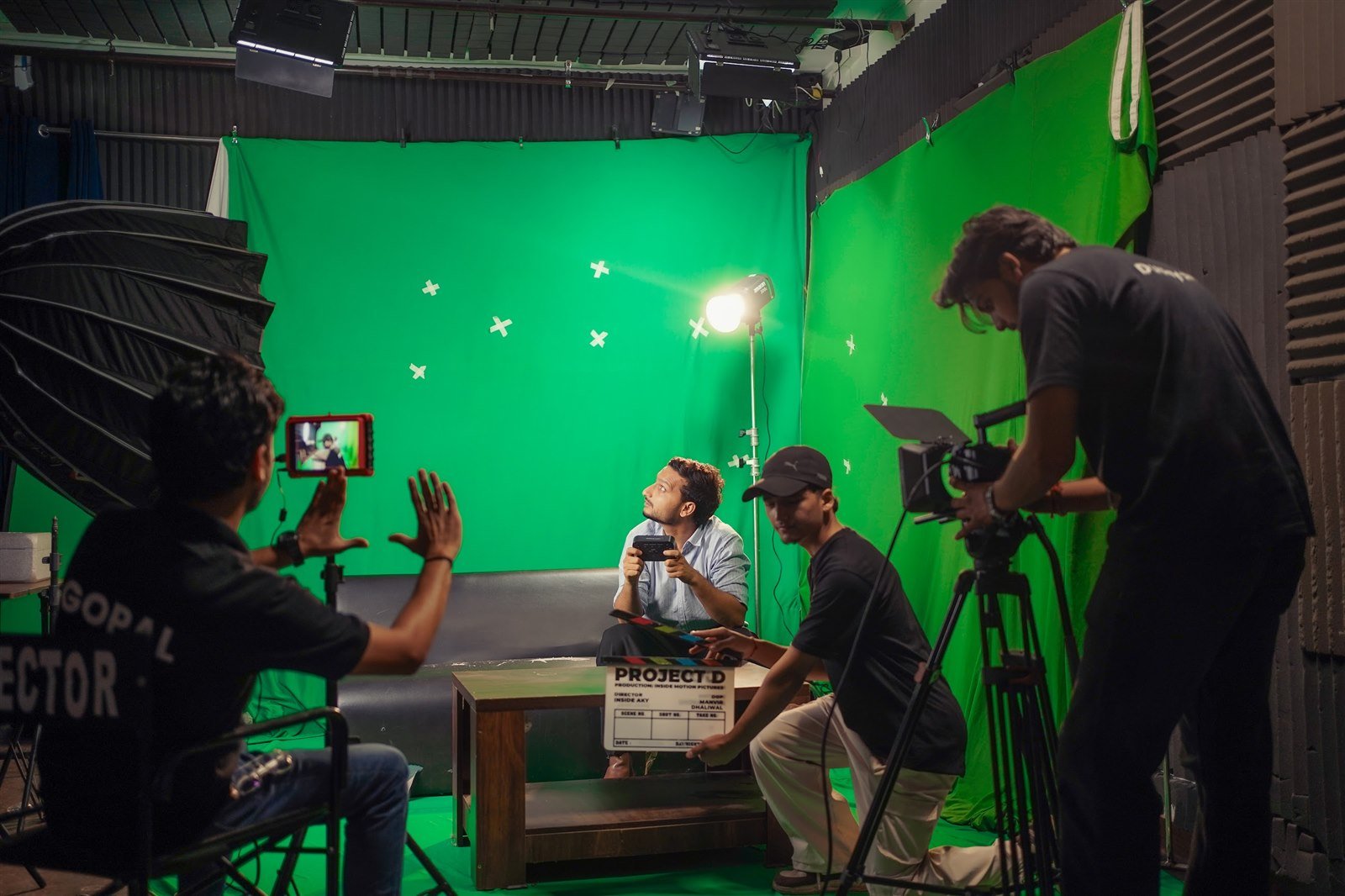
Some songs the whole world waits for. Mera Na, Sidhu Moose Wala’s track featuring Burna Boy and Steel Banglez, was one of them. Behind its music video was a long list of visual effects shots, and many of them were made in a studio in Panchkula, by the team at Inside Motion Pictures.
In this breakdown, the team sits down and shows how those shots were built. If you have ever wondered how VFX is made for a real music video, from a green screen to a finished frame, this is the best place to start.
Jump to a part:
- 4:20 Green screen and keying
- 12:50 Placing a figure on a monument
- 16:40 Extending a city skyline
- 20:50 Before and after
It starts with the idea, not the software
Every VFX shot in a music video begins with a question from the story: what should this moment say? A figure rising above a famous monument says power. A city skyline that suddenly carries a giant statue says legacy. Only after the idea is clear does the team decide how to build it: what to shoot for real, what to build in 3D, and what to combine.
Green screen and keying
Many of the shots start the same way: a performer on a green screen, lit to match the world they will be placed in. Then the green is removed (keying), the edges are cleaned, and the green spill on skin and clothes is taken out. The breakdown shows this twice, on different shots. Watch from 4:20 and 8:40. To try it yourself, read how to remove green screen in After Effects.
Compositing on a monument
One of the most striking shots places a figure on top of a famous domed monument. A shot like this is a composite: a photo or plate of the monument, the keyed figure, and extra layers (sky, flags, light) stacked so they look like one photograph. The hard part is matching perspective, light direction and colour so the figure truly “stands” there. Watch from 12:50.
Extending a city skyline
A set extension adds something to a real location that was never there: a building, a statue, a whole skyline. In Mera Na, a giant statue is added to a city of skyscrapers. The team builds and places the new element, then matches haze, light and colour so the far-away statue sits in the same air as the real buildings. Watch from 16:40.
Screens, faces and finishing
The breakdown also shows smaller but clever shots: new images placed on big city screens and billboards, and a face-replacement (deepfake) element, which was done by Deepika (Insight Keti). Then every shot gets the same finishing: colour matching, grain and a final grade, so the VFX shots cut smoothly with the real footage.
Before and after
The best way to understand VFX is to watch the before and after side by side. The montage near the end shows how much of the final video was built in post-production. Watch from 20:50.
Practice: make your own mini breakdown
- Pick one shot you made: even a simple green-screen key.
- Export three stages: the raw footage, the key, and the final composite.
- Put them side by side or use a slow wipe between them.
- Add one line of text for each stage. That is your first VFX breakdown for your showreel.
- Every VFX shot starts with an idea from the story.
- Shoot what you can for real, build the rest, then combine.
- Matching perspective, light and colour makes a composite believable.
- A before-and-after is the best way to learn and to show your work.
Questions people ask about VFX
How is VFX made, in simple words?
Plan the shot, shoot what you can for real (often on a green screen), build the rest (3D, stock elements, matte paintings), then combine everything in compositing software and match the colour and light until it looks like one image.
What is a VFX breakdown?
A VFX breakdown is a video that shows a finished shot layer by layer: the raw footage, each added element, and the final result. Studios make them to show how a shot was built.
Which software is used for music video VFX?
Commonly Adobe After Effects for compositing, Blender or other 3D software for 3D elements, Photoshop for matte paintings, and DaVinci Resolve for the final grade.
What is the difference between VFX and CGI?
CGI is anything made on a computer (a 3D statue, a digital city). VFX is the bigger process of combining real footage with those elements, so CGI is one part of VFX.
How long does VFX for a music video take?
It depends on the number of shots. A few simple shots can take days; a big video with many composites and 3D shots can take weeks of team work.
More from our work with Sidhu Moose Wala
Read the stories behind Old Skool, Famous and Chorni, where our students were part of the VFX team.
Learn VFX where it is made
Inside Film Institute is the sister institute of Inside Motion Pictures, the studio that made these shots. In the Pro VFX + AI course, students learn keying, 3D, compositing and grading by working on real projects. If you love cinema and want to learn it by doing, start here:
We Love Cinema.
Rate this blog
Know someone who loves cinema? Send them this.
Comments
No comments yet. Be the first to share a thought.